HP Chromebook 11 G6 Celeron Best Budget Choice
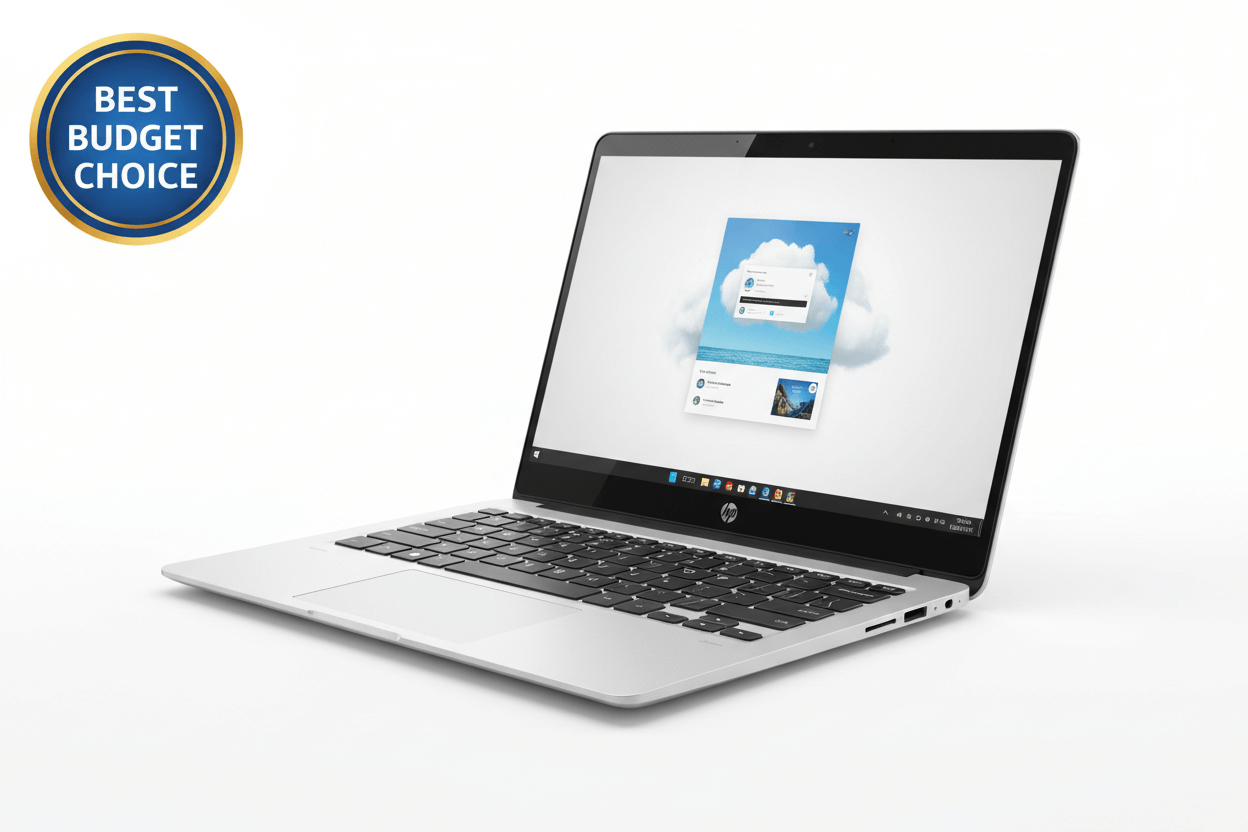
Introduction of HP Chromebook 11 G6
Finding a reliable laptop under a tight budget can be difficult, especially in India where students, beginners, and casual users expect value without compromising usability. The HP Chromebook 11 G6, powered by an Intel Celeron processor, stands out as one of the best budget choices for 2025. Designed for speed, simplicity, and long battery life, this Chromebook is ideal for schoolwork, lightweight office tasks, online classes, browsing, and media consumption. In a market filled with costly Windows laptops, the HP Chromebook 11 G6 offers an affordable, dependable alternative that focuses on ease of use, security, and cloud-based productivity.
Why HP Chromebook 11 G6 Is a Top Budget Pick in India
1. Built for Students, Schools & Light Users
The HP Chromebook 11 G6 was originally designed for education, meaning durability, longevity, and simplicity are its strongest points. Its rugged build, reinforced edges, and spill-resistant keyboard make it suitable for Indian classroom environments or users who demand a device that survives everyday wear and tear. Students who need a dependable device for Google Classroom, notes, PDFs, browsing, YouTube learning, or basic coding will find this Chromebook more than sufficient. Unlike traditional laptops, Chromebooks simplify computing with automatic updates and built-in virus protection, removing worries about slow performance or crashes.
2. Performance Powered by Intel Celeron
While not designed for heavy gaming or advanced editing, the Intel Celeron processor powering the HP Chromebook 11 G6 delivers smooth performance for daily tasks. Apps open quickly, multitasking is manageable, and web browsing feels fluid thanks to ChromeOS optimization. ChromeOS relies heavily on the cloud, meaning it doesn't require as much hardware power as Windows. For users who mainly use Google apps, YouTube, Gmail, Docs, Sheets, Meet, or Zoom, this device performs exceptionally well for its price segment. If your requirements include lightweight performance without heating issues, this Chromebook is one of the best options available.
Detailed Review of HP Chromebook 11 G6
Design & Build Quality: Simple, Strong, and School-Friendly
The HP Chromebook 11 G6 features an 11.6-inch display, making it compact and highly portable. It easily fits into a school bag, office backpack, or handbag without adding bulk. Its body is built to survive bumps, drops, and daily handling. The anti-glare display makes reading and writing comfortable indoors and outdoors. The sturdy hinge design ensures long-term reliability, even with rough daily use.
For students who attend school or coaching classes, or freelancers who travel frequently, the lightweight design offers excellent convenience. This is a device meant to last, especially in environments where durability often matters more than premium looks.
Display Quality: Compact but Clear
The 11.6-inch HD screen is not designed to compete with high-end laptops, but it is crisp enough for documents, multimedia lessons, reading articles, and streaming videos. The Chromebook’s anti-glare coating drastically improves outdoor usability, which is beneficial for Indian users studying on balconies, terraces, or moving between classrooms. The smaller size also makes the laptop more power-efficient, contributing to long battery life.
Battery Life: A True Strength
Battery life is one of the biggest advantages of the HP Chromebook 11 G6. Users can expect 8–11 hours of usage depending on tasks. For school, college, or home use, this means one full day on a single charge. Students do not need to carry a charger everywhere, making it stress-free during exams, online classes, or travel. Compared to Windows laptops in the same price category — which often struggle to last more than 4–5 hours — the Chromebook wins hands down.
Performance in Real-Life Usage
The Intel Celeron N3350 (or similar variant) ensures lag-free performance for:
-
Google Classroom
-
Zoom & Google Meet
-
YouTube
-
Browsing multiple tabs
-
MS Office online
-
Emailing & note-taking
-
Watching movies and online courses
ChromeOS allows apps to load fast and work smoothly even with lower hardware. This is a major advantage for budget users who want consistent performance without worrying about frequent slowdowns. Android app support through the Google Play Store opens up access to thousands of apps normally used on smartphones.
Software Experience: ChromeOS at Its Best
ChromeOS is simple, secure, and incredibly easy to use. Users don’t need to install antivirus software or worry about malware. Automatic updates run silently in the background, keeping the device fast over the years. ChromeOS boots in seconds and rarely lags because of its lightweight design.
For parents buying laptops for their children, ChromeOS offers advanced parental controls through Family Link, ensuring safe usage without exposing kids to harmful content or risky downloads.
Storage and Cloud Experience
The HP Chromebook 11 G6 typically comes with 16GB or 32GB of internal storage. While that seems limited compared to Windows laptops, Chromebooks are optimized for cloud usage — everything is saved in Google Drive, meaning your files remain safe even if the laptop is lost or damaged.
For users who rely mostly on online tools, this storage system is ideal. Additionally, Chromebooks often run faster longer because they don’t get filled with heavy apps or unnecessary software.
Keyboard & Touchpad: Great for Typing
The keyboard is comfortable, responsive, and built to handle long hours of typing — perfect for school work, reports, assignments, or online exams. The spill-resistant design adds another layer of durability. The spacious touchpad supports multi-touch gestures, making navigation simple for beginners and first-time laptop users.
Connectivity & Ports
The HP Chromebook 11 G6 includes all essential connectivity options:
-
USB Type-C
-
USB 3.1 Type-A
-
MicroSD card support
-
HDMI (depending on variant)
-
Headphone/microphone combo jack
This makes it easy to connect external storage, projectors, printers, and accessories. Dual-band Wi-Fi ensures smooth online classes and streaming.
Why It Is the Best Budget Choice
1. Extremely Affordable
Compared to Windows laptops that cost ₹20,000–₹30,000(approx.), refurbished or new Chromebooks like the HP Chromebook 11 G6 often cost ₹9,000–₹15,000(approx.), making them perfect for low-budget buyers.
2. Great for Online Classes
With Indian education moving heavily online, the device supports Google Classroom, Zoom, and YouTube efficiently.
3. Long Battery Life
Ideal for students who cannot charge frequently during school or coaching sessions.
4. Rugged & Durable
Made for students, so it lasts longer than typical budget Windows laptops.
5. Fast, Secure, and Easy to Use
No virus issues, no slowdowns, no complicated settings — just turn on and start working.
Who Should Buy the HP Chromebook 11 G6?
Buy it if you are:
-
A student (school or college) needing a reliable study device
-
A parent looking for a safe, secure laptop for children
-
A beginner who needs simple functions
-
Someone wanting a lightweight laptop for travel or note-taking
-
A user wanting the best performance for under ₹15,000
Don't buy it if:
-
You need heavy apps (AutoCAD, Photoshop, video editing)
-
You want offline storage for large files
-
You require advanced gaming performance
Final Verdict: Best Budget Chromebook for India
The HP Chromebook 11 G6 with Celeron is one of the smartest budget laptop choices available in India today. It checks all essential boxes: long battery life, rugged durability, smooth day-to-day performance, excellent value for money, and a simple user experience that suits both beginners and students. If your requirements are basic and your budget is tight, this Chromebook offers unmatched practicality and reliability. Whether for school, basic office work, or home learning, it delivers exactly what budget buyers need in 2025.
FAQs of HP Chromebook 11 G6
Q.1. Is the HP Chromebook 11 G6 good for students?
Yes, it is excellent for online classes, assignments, presentations, and browsing.
Q.2. Can I run heavy software on it?
No, the Intel Celeron Chromebook is made for light tasks only.
Q.3. How is the battery life?
You can expect 8–11 hours, making it ideal for full-day usage.
Q.4. Is it better than a Windows laptop at this price?
Yes, for basic tasks. Windows laptops under ₹20,000 often lag, while Chromebooks remain fast.
Q.5. Can I install Android apps?
Yes, the Chromebook supports Google Play Store apps.