

Learn How To Recycle Old Electronics Correctly Today
- Posted by Shweta Sharma
Introduction
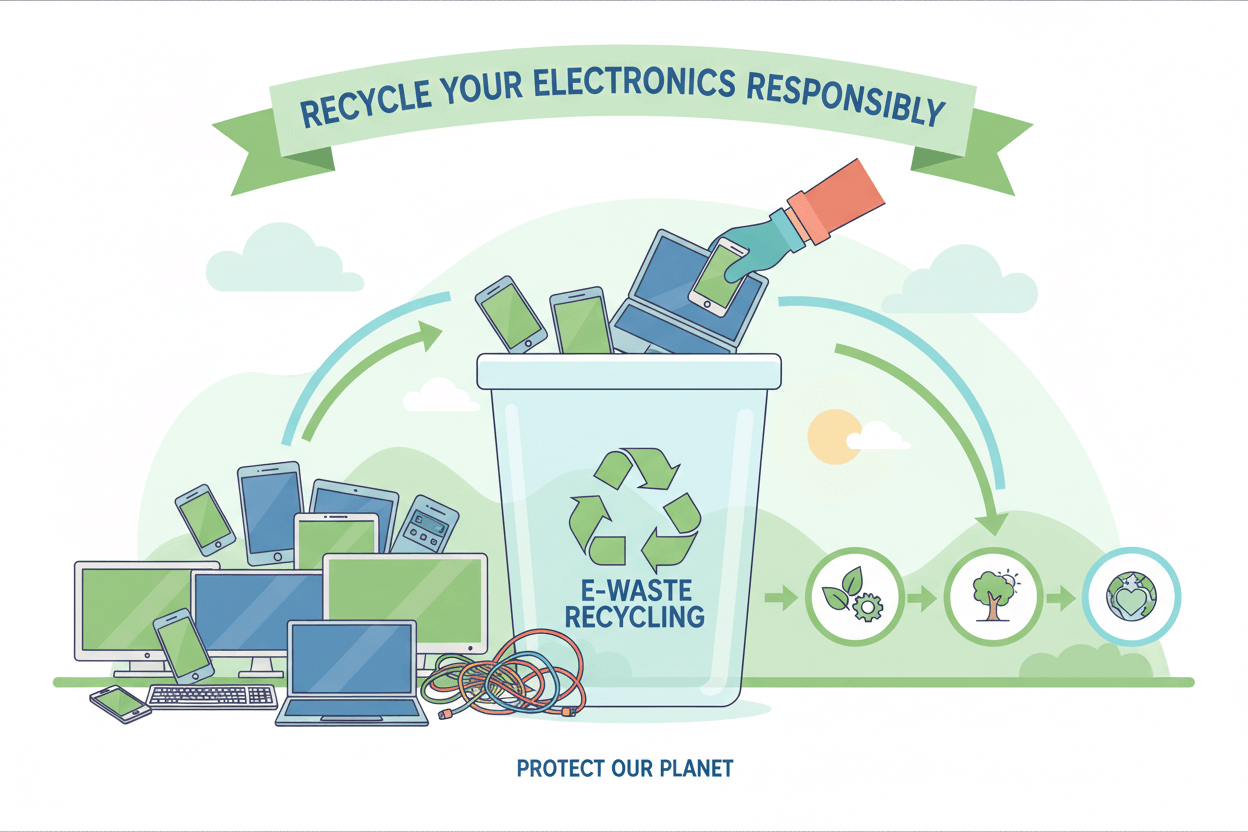
In today’s digital world, people buy new mobiles, laptops, and home gadgets more frequently than ever before. As technology keeps improving, old devices often end up stored in drawers or thrown away as waste. But these electronics contain metals, plastics, and chemicals that can harm the environment if not handled properly. Learning how to recycle old electronics correctly is important for protecting our soil, water, and air. It also helps save natural resources and reduces the growing problem of electronic waste (e-waste) around the world. This blog explains simple steps to recycle electronic devices responsibly and safely.
Why Recycling Electronics Matters Today
Electronic waste is increasing rapidly because millions of people replace their phones, laptops, and gadgets every year. When these products are thrown in the dustbin, they break down and release harmful chemicals such as mercury, lead, and cadmium. These substances can seep into the soil and water, affecting plants, animals, and even human health. Proper recycling helps prevent these dangers. It also allows useful materials like copper, aluminum, gold, and plastic to be recovered. These materials can be reused in new electronics, reducing the need for mining and manufacturing. Therefore, recycling old electronics is both environmentally responsible and economically beneficial.
What Counts as Electronic Waste?
Electronic waste includes any device that requires electricity or batteries to operate. Some common examples are mobile phones, tablets, laptops, desktop computers, chargers, headphones, televisions, printers, home appliances, smartwatches, and speakers. Even broken or damaged parts such as screens, batteries, and cables count as e-waste. People often store these items because they do not know how to dispose of them safely. However, keeping old gadgets at home can be unsafe, especially if batteries start leaking. It is better to identify what is no longer in use and prepare it for recycling.
Back Up and Erase Your Personal Data
Before sending any electronic device for recycling, the first step is to protect your personal information. Phones, laptops, and tablets store photos, passwords, messages, and account details. If this data is not deleted properly, someone else may access it. Start by backing up your important files to cloud storage or an external hard drive. Then perform a factory reset on the device. Remove the SIM card and memory card from your phone. Log out of all accounts and remove any linked devices. This ensures your privacy is protected when you recycle the gadget.
Separate Devices Based on Type
Different types of electronics need different recycling methods. Batteries must be handled separately because they can explode or leak if damaged. Small gadgets such as earphones, chargers, and cables can be grouped together in one bag. Larger items like laptops and televisions should be kept separately. If you have broken screens or cracked devices, place them in protective wrapping to prevent injury. This simple sorting process makes it easier for recycling centers to handle the items correctly.
Find a Certified E-Waste Recycling Center
Not all scrap dealers handle electronics safely. Some burn wires or break devices open using unsafe methods, releasing toxic chemicals into the air. To recycle properly, always choose a certified e-waste recycling center. These centers follow government-approved methods to dismantle and treat electronic waste. You can search online for government-approved recyclers in your area. Many companies also operate drop-off centers where you can deposit old gadgets. Using certified recyclers ensures that the materials are recovered safely and harmful substances are disposed of correctly.
Use Official Take-Back Programs
Many electronics companies offer take-back or exchange programs. Brands like Apple, Samsung, Dell, HP, and Lenovo accept old devices when you buy new ones. Some offer discounts, cashback, or store credit. Retailers like Amazon and Flipkart also provide pickup services for old phones and laptops. These programs are convenient because they ensure responsible recycling and help consumers save money. Using take-back programs encourages companies to design more environmentally friendly products.
Donate or Reuse If Possible
Not all old electronics should be thrown away. Many devices still work even if they are outdated. Donating them to schools, charities, NGOs, or families in need can help someone else. Old laptops or phones can be used for online classes, digital learning, or basic communication. Reusing electronics reduces waste and extends the life of the product. Some people also refurbish old gadgets, replace batteries, or upgrade software to keep them working longer. Giving your device a second life is one of the best forms of recycling.
Do Not Throw Batteries in the Dustbin
Batteries are one of the most harmful parts of electronic waste. Smartphone batteries, laptop batteries, and power bank cells contain chemicals that can leak and pollute water and soil. Throwing batteries in household waste is dangerous. Instead, keep them in a separate box and take them to a battery recycling center. Some mobile stores also collect old batteries. Always handle swollen or damaged batteries carefully and never attempt to open them. Proper battery recycling prevents fires and environmental pollution.
Avoid Burning or Breaking Electronics at Home
Some people burn wires or break devices at home to extract metal. This is extremely unsafe and harmful. Burning releases toxic smoke that causes breathing problems, skin irritation, and long-term health issues. Breaking devices manually can expose sharp metal edges and harmful chemicals. Recycling should be done only by trained professionals using the right tools and protective equipment. Always avoid home-based dismantling.
Environmental Benefits of Proper Electronics Recycling
Recycling old electronics correctly helps reduce pollution. When e-waste is dumped in landfills, it releases chemicals that contaminate soil and groundwater. Proper recycling prevents this. It also reduces the amount of waste that ends up in public dumping grounds. Recovered metals and plastics can be used to manufacture new electronics, reducing the need to extract fresh raw materials from the earth. This saves energy, reduces carbon emissions, and supports environmental sustainability. Recycling also helps countries manage their waste more efficiently and protects communities from harmful toxins.
How Recycling Supports a Circular Economy
A circular economy focuses on reusing, repairing, and recycling materials instead of throwing them away. Electronic recycling plays a major role in this system. When devices are returned through take-back programs or recycling centers, manufacturers can recover important parts. These materials can be used to create new phones, laptops, and appliances. This reduces production costs and minimizes environmental damage. A circular economy also encourages companies to create products that last longer and are easier to repair. Over time, this leads to a cleaner and more resource-efficient world.
Simple Recycling Tips for Homes and Offices
You can start good recycling habits at home by creating a small box for old gadgets. Whenever a phone stops working or a charger gets damaged, place it in the box instead of throwing it away. Once the box is full, take it to a recycling center. Offices should also set up e-waste collection bins for employees. Many companies generate large amounts of electronic waste such as computers, printers, and cables. Regular recycling drives can keep workplaces clean and environmentally responsible.
The Role of Governments and Communities
Governments across many countries are creating strict rules for managing e-waste. These rules require manufacturers to handle recycling responsibly and encourage consumers to return old devices. Some cities organize e-waste collection camps to make recycling easier for people. Community awareness is equally important. Schools, colleges, and local groups can educate people about responsible disposal. When more people understand the dangers of improper e-waste disposal, recycling becomes a shared responsibility.
Challenges in Recycling Electronics
Although recycling is important, it also has challenges. Some recyclers use unsafe methods to extract valuable metals. Many people do not know where to recycle their devices. In some places, there are not enough certified recycling facilities. Another challenge is that modern electronics are difficult to dismantle because they contain tiny components. Batteries are sealed inside phones, making them hard to remove. Improving recycling technology and increasing public awareness can help overcome these challenges.
Future of Electronic Recycling
The future of electronic recycling looks promising. Many companies are developing new technologies to extract metals more safely and efficiently. Some are designing devices that are easier to repair and recycle. Governments are setting stricter laws to ensure proper disposal. Consumers are becoming more aware of environmental issues and choosing sustainable options. As the world moves towards green technology and renewable energy, responsible recycling will become even more important.
Conclusion
Recycling old electronics correctly is essential for protecting our environment and health. It reduces pollution, saves natural resources, and supports a sustainable future. Every mobile, laptop, charger, or battery that we recycle makes a big difference. The process is simple—backup data, sort your devices, choose certified recyclers, and use official take-back programs. Donating or reusing old gadgets also helps reduce waste. When individuals, companies, and governments work together, we can create a cleaner world with less electronic waste. Start today by checking your home for old devices and recycling them the right way.
FAQs
Q.1. What is e-waste?
E-waste is old, damaged, or unused electronic devices.
Q.2. Why should we recycle electronics?
Recycling reduces pollution, saves resources, and protects the environment.
Q.3. Where can I recycle old devices?
You can visit authorized recycling centers or use brand take-back programs.
Q.4. Should I delete data before recycling?
Yes, always backup and remove personal data before recycling.
Q.5. Can old electronics be donated?
Yes, working devices can be donated to schools, NGOs, or families in need.






Please select collection from store admin > customize > Collection page > sidebar
- AI+ Nova
- AI+ Nova 5G
- AI+ Nova 5G Camera
- AI+ Nova 5G Features
- AI+ Nova 5G Price
- AI+ Nova 5G Specs
- Android
- Android Smartphone
- Apple iPhone
- Apple iPhone 13 Pro Max
- Apple iPhone 13 Pro Max Features
- Apple iPhone 13 Pro Max Price
- Apple iPhone 13 Pro Max Specs
- Apple iPhone 14
- Apple iPhone 14 Features
- Apple iPhone 14 Price
- Apple iPhone 14 Specs
- Apple iPhone 17 Pro Max
- Apple iPhone 17 Pro Max Features
- Apple iPhone 17 Pro Max Price
- Apple iPhone 17 Pro Max Specs
- Apple MacBook
- Apple MacBook Pro
- Apple MacBook Pro 2022
- Apple MacBook Pro Features
- Apple MacBook Pro Specs
- Apple Watch 9
- best price and review
- Buying tips
- CMF Headphone Pro
- CMF Headphone Pro Features
- CMF Headphone Pro Price
- CMF Headphone Pro Specs
- CMF Watch
- CMF Watch 3 Pro
- CMF Watch 3 Pro Features
- CMF Watch 3 Pro Price
- CMF Watch 3 Pro Specs
- Competitive Smartphone
- Fire-Boltt Cobra
- Fire-Boltt Cobra Price
- Fire-Boltt Cobra Smartwatch
- Fire-Boltt Cobra Specs
- Garmin
- Garmin Bounce 2
- Garmin Bounce 2 Features
- Garmin Bounce 2 Price
- Garmin Bounce 2 Specs
- Garmin eTrex
- Garmin eTrex Solar
- Garmin eTrex Solar Price
- Garmin eTrex Solar Specs
- Garmin Venu 3
- Garmin Venu 3 vs Apple Watch 9
- Garmin Venu 3 vs Apple Watch 9 Features
- Garmin Venu 3 vs Apple Watch 9 Specs
- Google Pixel
- Google Pixel 10
- Google Pixel 10 Pro
- Google Pixel 10 vs Pixel 10 Pro
- Google Pixel 10 vs Pixel 10 Pro Features
- Google Pixel 10 vs Pixel 10 Pro Price
- Google Pixel 10 vs Pixel 10 Pro Specs
- Google Pixel 6a
- Google Pixel 6a Features
- Google Pixel 6a Price
- Google Pixel 6a Specs
- Google Pixel 9 Pro
- Google Pixel 9 Pro Price
- Google Pixel 9 Pro price in India
- Google Pixel 9 Pro Review
- GoPro MAX
- GoPro MAX 360
- GoPro MAX 360 Features
- GoPro MAX 360 Specs
- H2O Tri 2 Pro
- H2O Tri 2 Pro Headphone
- H2O Tri 2 Pro Headphone Features
- H2O Tri 2 Pro Headphone price
- H2O Tri 2 Pro Headphone Specs
- HMD Pulse 2 Pro
- HMD Pulse 2 Pro Camera
- HMD Pulse 2 Pro Features
- HMD Pulse 2 Pro Price
- HMD Pulse 2 Pro Specs
- Honor
- Honor 200 Lite
- Honor 200 Lite in UAE
- Honor 50 Pro 256GB
- Honor 50 Pro camera
- Honor 50 Pro Price
- Honor 50 Pro Review
- Honor 50 Pro specs
- Honor 500 Pro
- Honor 500 Pro Features
- Honor 500 Pro Price
- Honor 500 Pro Specs
- Honor Magic
- Honor Magic 6 Pro
- Honor Magic 6 Pro Features
- Honor Magic 6 Pro Price
- Honor Magic 6 Pro Specs
- Honor Magic V Flip 2
- Honor Magic V Flip 2 Features
- Honor Magic V Flip 2 Price
- Honor Magic V Flip 2 Specs
- Honor MagicPad 3 Pro
- Honor MagicPad 3 Pro Features
- Honor MagicPad 3 Pro Price
- Honor MagicPad 3 Pro Specs
- Honor Watch
- Honor Watch 5 Pro
- Honor Watch 5 Pro Features
- Honor Watch 5 Pro Price
- Honor Watch 5 Pro Specs
- Honor X9d Features
- Honor X9d Price
- Honor X9d Specs
- Huawei
- Huawei Nova
- Huawei Nova 7
- Huawei Nova 7 features
- Huawei Nova 7 price
- Huawei Nova 7 price in India
- Huawei Nova 7 specs
- Huawei Nova Flip S
- Huawei Nova Flip S Features
- Huawei Nova Flip S Price
- Huawei Nova Flip S Specs
- Huawei Pura
- Huawei Pura 70 Pro
- Huawei Pura 70 Pro Features
- Huawei Pura 70 Pro Price
- Huawei Pura 70 Pro Review
- Huawei Pura 70 Pro Specs
- Huawei Tri-Fold
- Huawei Tri-Fold Phone
- Huawei Tri-Fold Phone Fetures
- Huawei Tri-Fold Phone Specs
- Huawei Watch
- Huawei Watch GT 6
- Huawei Watch GT 6 Features
- Huawei Watch GT 6 Price
- Huawei Watch GT 6 Specs
- Huawei Watch Ultimate 2
- Huawei Watch Ultimate 2 Features
- Huawei Watch Ultimate 2 Price
- Huawei Watch Ultimate 2 Specs
- Infinix GT20 Pro
- Infinix GT20 Pro and RedMagic 9 Pro
- Infinix GT20 Pro and RedMagic 9 Pro Price
- Infinix GT20 Pro and RedMagic 9 Pro Specs
- iPad
- iPad 10.2 inch 9th generation
- iPad 10.2 inch 9th generation Review
- iPad 10.2 inch price
- iPad 10.2 inch price in India
- iPad 10th Generation
- iPad 10th Generation Price
- iPad 10th Generation Review
- iPad 10th Generation Specs
- iPad 9th generation price
- iPad Tablet
- iPad Tablet Features
- iPad Tablet Price
- iPad Tablet Specs
- iPhone
- iPhone 12 Pro Max
- iPhone 12 Pro Max Features
- iPhone 12 Pro Max Price
- iPhone 12 Pro Max Specs
- iPhone 16 Plus
- iPhone 16 Plus Pro
- iPhone 16 Plus vs Pro
- iPhone 16 Plus vs Pro Feature
- iPhone 16 Plus vs Pro Specs
- iQOO 15
- iQOO 15 Features
- iQOO 15 Price
- iQOO 15 Specs
- iQOO Z10R
- iQOO Z10R Features
- iQOO Z10R Price
- iQOO Z10R Specs
- Laptops
- Laptops Features
- Laptops Leading the 2025
- Laptops Specs
- Lava Agni 4
- Lava Agni 4 Features
- Lava Agni 4 Price
- Lenovo
- Lenovo IdeaPad
- Lenovo IdeaPad Slim 3 Laptop
- Lenovo IdeaPad Slim 3 Laptop Features
- Lenovo IdeaPad Slim 3 Laptop Price
- Lenovo IdeaPad Slim 3 Laptop Specs
- Lenovo Laptops
- Lenovo Laptops Features
- Lenovo Laptops Specs
- MacBook
- Moto X70
- Moto X70 Air
- Moto X70 Air Features
- Moto X70 Air Price
- Moto X70 Air Specs
- Motorola
- Motorola Edge 50 Fusion
- Motorola Edge 50 Fusion Features
- Motorola Edge 50 Fusion Price
- Motorola Edge 50 Fusion Specs
- Motorola Edge 70
- Motorola Edge 70 Features
- Motorola Edge 70 Price
- Motorola Edge 70 Specs
- Motorola Moto
- Motorola Moto G06 Power
- Motorola Moto G06 Power Features
- Motorola Moto G06 Power Price
- Motorola Moto G06 Power Specs
- Motorola Moto G36
- Motorola Moto G36 Price
- Motorola Moto G36 Specs
- Nubia
- Nubia Z80 Ultra
- Nubia Z80 Ultra Features
- Nubia Z80 Ultra Price
- Nubia Z80 Ultra Specs
- OnePlus
- OnePlus 13
- OnePlus 13 Features
- OnePlus 13 Review
- OnePlus 13 Specs
- OnePlus Ace 6
- OnePlus Ace 6 Features
- OnePlus Ace 6 Price
- OnePlus Ace 6 Specs
- OnePlus Nord
- OnePlus Nord Price
- OnePlus Nord Review
- OnePlus Nord Specs
- Oppo
- Oppo A3 Pro
- Oppo A3 Pro Features
- Oppo A3 Pro Price
- Oppo A3 Pro Specs
- Oppo F31 Pro
- Oppo F31 Pro Features
- Oppo F31 Pro Price
- Oppo F31 Pro Specs
- Oppo Find X9
- Oppo Find X9 Price
- Oppo Find X9 series
- Oppo Find X9 series Specs
- Oppo Reno
- Oppo Reno15 Pro Max
- Oppo Reno15 Pro Max Features
- Oppo Reno15 Pro Max Price
- Oppo Reno15 Pro Max Specs
- OxygenOS
- OxygenOS 15
- OxygenOS 15 Update
- OxygenOS 15's Always-On Display
- Poco C61
- Poco C61 Features
- Poco C61 Price
- Poco C61 Specs
- Poco F8 Ultra
- Poco F8 Ultra Features
- Poco F8 Ultra Price
- Poco F8 Ultra Specs
- POCO M6 Pro 5G
- POCO M6 Pro 5G Price
- POCO M6 Pro 5G Specs
- POCO M6 Pro Features
- Powerbeats Fit
- Powerbeats Fit Features
- Powerbeats Fit Price
- Realme
- Realme 12 Pro Plus
- Realme 12 Pro Plus Features
- Realme 12 Pro Plus Price
- Realme 12 Pro Plus Specs
- Realme 14 Pro Plus
- Realme 14 Pro Plus Features
- Realme 14 Pro Plus Price
- Realme 14 Pro Plus Specs
- Realme 15 Lite
- Realme 15 Lite 5G
- Realme 15 Lite 5G Price
- Realme 15 Lite 5G Specs
- Realme GT 8
- Realme GT 8 Features
- Realme GT 8 Price
- Realme GT 8 Pro
- Realme GT 8 Pro Features
- Realme GT 8 Pro Price
- Realme GT 8 Pro Specs
- Realme GT 8 Specs
- Realme GT Neo 3 Naruto Edition
- Realme GT Neo 3 Naruto Edition Features
- Realme GT Neo 3 Naruto Edition Price
- Realme GT Neo 3 Naruto Edition Specs
- Realme P1
- Realme P1 Price
- Realme P1 Review
- Realme P1 Specs
- Realme P3
- Realme P3 Features
- Realme P3 Price
- Realme P3 Specs
- RedMagic 9 Pro
- Redmi
- Redmi 13C
- Redmi 13C Features
- Redmi 13C price
- Redmi 13C Specs
- Redmi K90 Pro
- Redmi K90 Pro Features
- Redmi K90 Pro Price
- Redmi K90 Pro Specs
- Redmi Note 13
- Redmi Note 13 Features
- Redmi Note 13 Price
- Redmi Note 13 Specs
- Redmi Turbo 5
- Redmi Turbo 5 Features
- Redmi Turbo 5 Price
- Redmi Turbo 5 Specs
- Samsung
- Samsung A35
- Samsung A35 Features
- Samsung A35 Price
- Samsung A35 Specs
- Samsung Galaxy
- Samsung Galaxy A07 4G
- Samsung Galaxy A07 4G Features
- Samsung Galaxy A07 4G Price
- Samsung Galaxy A07 4G Specs
- Samsung Galaxy A10s
- Samsung Galaxy A10s Review
- Samsung Galaxy A10s Specs
- Samsung Galaxy A16
- Samsung Galaxy A16 5G
- Samsung Galaxy A16 5G Features
- Samsung Galaxy A16 5G Price
- Samsung Galaxy A16 5G Specs
- Samsung Galaxy A17
- Samsung Galaxy A17 4G
- Samsung Galaxy A17 4G Features
- Samsung Galaxy A17 4G Price
- Samsung Galaxy A17 4G Specs
- Samsung Galaxy A73
- Samsung Galaxy A73 Features
- Samsung Galaxy A73 Price
- Samsung Galaxy A73 Review
- Samsung Galaxy A73 Specs
- Samsung Galaxy M20
- Samsung Galaxy M20 Features
- Samsung Galaxy M20 Price
- Samsung Galaxy M20 Specs
- Samsung Galaxy S23
- Samsung Galaxy S23 camera
- Samsung Galaxy S23 features
- Samsung Galaxy S23 specs
- Samsung Galaxy Tab
- Samsung Galaxy Tab A11 Features
- Samsung Galaxy Tab A11 Price
- Samsung Galaxy Tab A11 Specs
- Samsung Galaxy Tab A11 Surfaces
- Samsung Galaxy Tab A9 Plus
- Samsung Galaxy Tab A9 Plus Features
- Samsung Galaxy Tab A9 Plus Review
- Samsung Galaxy Tab A9 Plus specs
- Samsung Galaxy Tab S11 Ultra
- Samsung Galaxy Tab S11 Ultra Features
- Samsung Galaxy Tab S11 Ultra Price
- Samsung Galaxy Tab S11 Ultra Specs
- Samsung Galaxy Watch 5
- Samsung Galaxy Watch 7
- Samsung Galaxy Watch 7 vs. Watch 5
- Samsung Galaxy Watch 7 vs. Watch 5 Features
- Samsung Galaxy Watch 7 vs. Watch 5 Specs
- Samsung Galaxy Z Flip 6
- Samsung Galaxy Z Flip 6 Blue Price
- Samsung Galaxy Z Flip6 Blue
- Samsung Galaxy Z Flip6 Price in India
- Samsung Galaxy Z Fold 8
- Samsung Galaxy Z Fold 8 Features
- Samsung Galaxy Z Fold 8 Price
- Samsung Galaxy Z Fold 8 Specs
- Smartphone Market
- Smartphones
- Snapdragon
- Snapdragon 8 Elite
- Snapdragon 8 Elite Gen 5 processor
- TCL
- TCL NxtPaper 60 Ultra
- TCL NxtPaper 60 Ultra Features
- TCL NxtPaper 60 Ultra Price
- TCL NxtPaper 60 Ultra Specs
- Tecno
- Tecno Spark
- Tecno Spark Slim
- Tecno Spark Slim Features
- Tecno Spark Slim Price
- Vertu Agent Q
- Vertu Agent Q Features
- Vertu Agent Q Price
- Vertu Agent Q Specs
- Vivo
- Vivo 26 Pro
- Vivo 26 Pro Features
- Vivo 26 Pro Price
- Vivo 26 Pro Specs
- Vivo camera
- Vivo Features
- Vivo iQOO Z10R
- Vivo Mobile
- Vivo Pad
- Vivo Pad 5e
- Vivo Pad 5e Features
- Vivo Pad 5e Price
- Vivo Pad 5e Specs
- Vivo Price
- Vivo Specs
- Vivo TWS 5
- Vivo TWS 5 Features
- Vivo TWS 5 Price
- Vivo TWS 5 Specs
- Vivo V20 Pro
- Vivo V20 Pro Features
- Vivo V20 Pro Price
- Vivo V20 Pro Specs
- Vivo V30 pro
- Vivo V30 pro Features
- Vivo V30 pro Price
- Vivo V30 pro Specs
- Vivo V50
- Vivo V50 5G
- Vivo V50 5G Features
- Vivo V50 5G Specs
- Vivo V60 Lite
- Vivo V60 Lite 4G
- Vivo V60 Lite 4G Price
- Vivo V60 Lite 4G Specs
- Vivo V60e
- Vivo V60e Features
- Vivo V60e Price
- Vivo V60e Specs
- Vivo V70 Lite
- Vivo V70 Lite Features
- Vivo V70 Lite Price
- Vivo V70 Lite Specs
- Vivo Watch GT 2
- Vivo Watch GT 2 Features
- Vivo Watch GT 2 for tracking
- Vivo Watch GT 2 Price
- Vivo Watch GT 2 Specs
- Vivo Y19s Pro
- Vivo Y19s Pro Features
- Vivo Y19s Pro Price
- Vivo Y19s Pro Specs
- Xiaomi
- Xiaomi 15T
- Xiaomi 15T Features
- Xiaomi 15T Price
- Xiaomi 15T Specs
- Xiaomi 16 Pro
- Xiaomi 16 Pro Features
- Xiaomi 16 Pro Price
- Xiaomi 16 Pro Specs
- Xiaomi 17 Ultra
- Xiaomi 17 Ultra 5G
- Xiaomi 17 Ultra Features
- Xiaomi 17 Ultra Price
- Xiaomi 17 Ultra Specs
- Xiaomi Pad 8
- Xiaomi Pad 8 Features
- Xiaomi Pad 8 Price
- Xiaomi Pad 8 Specs
- Xiaomi Pad Mini
- Xiaomi Pad Mini Features
- Xiaomi Pad Mini Price
- Xiaomi Pad Mini Specs
- Xiaomi Redmi
- Xiaomi Redmi Note 9 Pro Max Features
- Xiaomi Redmi Note 9 Pro Max Price
- Xiaomi Redmi Note 9 Pro Max Specs